How to Use Binance Exchange: A Beginner's Guide to Trading on Binance

Binance is one of the largest and most popular cryptocurrency exchanges in the world, offering a wide range of digital assets and trading features. Whether you are a complete beginner or an experienced trader, understanding how to navigate the platform is essential. This guide will walk you through the basic steps of using Binance, from registration to your first trade.
First, you need to create a Binance account. Visit the official Binance website or download the mobile app. Click on the "Register" button and enter your email address or phone number. You will need to create a strong password and agree to the terms of service. After registering, Binance will send a verification code to your email or phone. Enter this code to activate your account. For full access to all features, including higher withdrawal limits, you must complete identity verification (KYC) by uploading a government-issued ID and taking a selfie.
Once your account is set up and verified, the next step is to secure it. Binance offers several security features. You should enable two-factor authentication (2FA) using the Google Authenticator app or SMS. This adds an extra layer of protection to your account. Additionally, you can set up anti-phishing codes and whitelist withdrawal addresses to prevent unauthorized access.
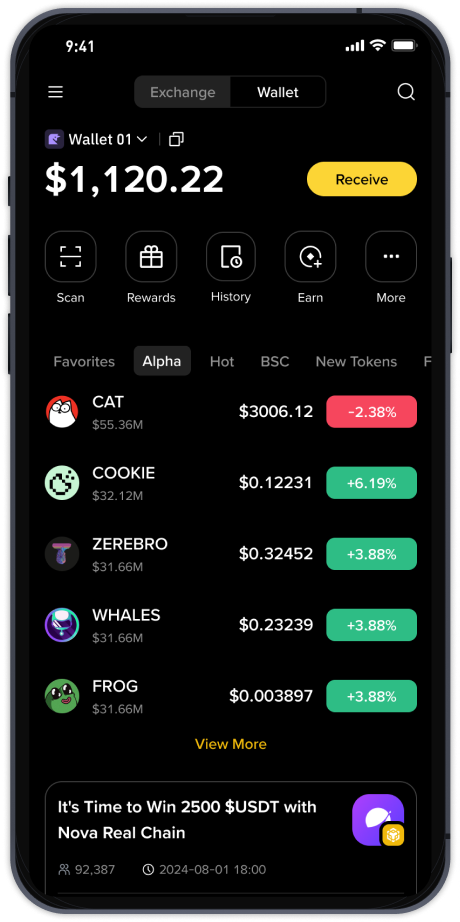
After securing your account, you need to deposit funds. Log in to your Binance account and navigate to the "Wallet" or "Deposit" section. You can deposit cryptocurrencies directly by selecting the coin and copying the deposit address. If you are new to crypto, you may want to buy cryptocurrency directly using fiat currency (like USD, EUR, or GBP). Binance supports various payment methods, including bank transfers, credit/debit cards, and third-party payment processors. Click on "Buy Crypto" and choose your preferred method to purchase Bitcoin, Ethereum, or other supported coins.
Now that you have funds in your Binance wallet, you can start trading. Binance offers several trading interfaces: the "Lite" mode for beginners and the "Advanced" or "Classic" mode for experienced traders. In the Lite mode, you can simply click "Buy" or "Sell" for a specific cryptocurrency at the current market price. In the Advanced mode, you have access to order books, charts, and various order types such as limit orders, stop-limit orders, and market orders. To make your first trade, select a trading pair (e.g., BTC/USDT), choose the amount you want to trade, and click "Buy" or "Sell."
Beyond spot trading, Binance offers a variety of other products. You can explore Binance Earn to stake your crypto and earn interest, participate in Launchpad for new token sales, or use Binance Futures and Margin for leveraged trading. However, these advanced products carry higher risks and are recommended only for experienced users who understand the market.
Finally, when you want to withdraw your funds, go to the "Wallet" and select "Withdraw." Choose the cryptocurrency, enter the withdrawal address, and specify the amount. Binance will send a confirmation to your email and 2FA device. Always double-check the withdrawal address, as transactions are irreversible. With these steps, you can confidently start using Binance for your cryptocurrency trading journey.