How to Start Using Binance Coin Exchange: A Step-by-Step Guide for Beginners

Binance, often referred to as the "Binance Coin Exchange," is one of the world’s largest and most widely used cryptocurrency trading platforms. If you are asking, "How do I use Binance?" you are not alone. Whether you want to buy, sell, or trade digital assets, understanding the core steps is essential. This guide provides a clear, beginner-friendly walkthrough for using the Binance exchange effectively.
First, you need to create an account. Go to the official Binance website or download the Binance app. Click on "Register" and provide a valid email address or phone number. You will need to create a strong password. After registration, Binance will ask you to verify your identity (KYC – Know Your Customer). This process involves uploading a government-issued ID and taking a selfie. While this step may seem tedious, it increases your withdrawal limits and enhances account security.
Once your account is verified, you must secure it. The most important step is enabling Two-Factor Authentication (2FA). Use the Google Authenticator app or an SMS code. Never rely solely on a password. Also, add a phone number and set up anti-phishing codes in your security settings. These measures protect your funds from unauthorized access.
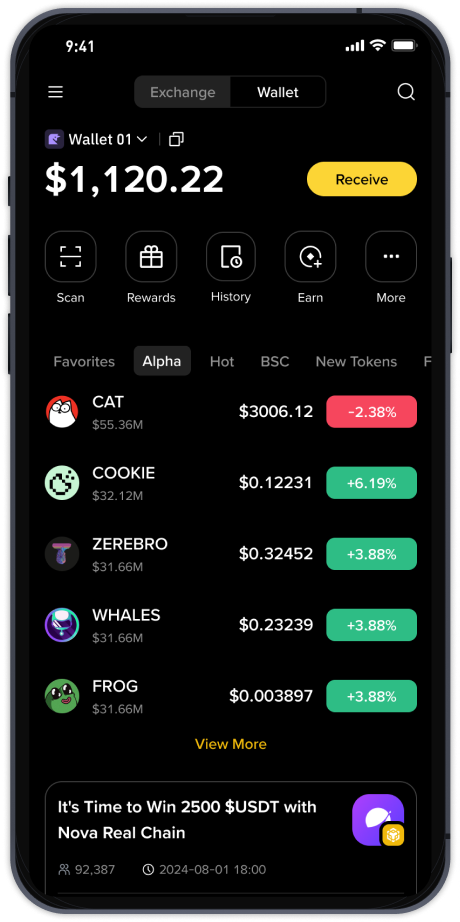
Next, you need to deposit funds. Binance supports two main methods: fiat currency (like USD, EUR) and cryptocurrency. To deposit fiat, navigate to "Buy Crypto" and use a debit/credit card, P2P trading, or bank transfer. If you already own crypto (e.g., Bitcoin or Ethereum), go to "Wallet" → "Deposit" → select the coin → copy your deposit address. Send your crypto from an external wallet to this address. Always double-check the network (e.g., BEP-20, ERC-20) to avoid losing funds.
Now, you can start trading. Binance offers several trading interfaces. The most basic is "Convert" – a simple swap tool where you select two assets and set the amount. This is ideal for beginners. For more control, use the "Classic" or "Advanced" trading views on the "Trade" page. Here, you will see a price chart, an order book, and order entry boxes. You can place a Market Order (buy/sell immediately at current price) or a Limit Order (buy/sell only when the price reaches your target).
A key feature of Binance is the "Binance Coin" (BNB). BNB is the native token of the exchange. If you hold BNB in your wallet, you can use it to pay trading fees at a discounted rate. To do this, ensure the "Use BNB for Fees" toggle is switched on in your settings. This simple step can save you a significant amount over time.
For advanced users, Binance provides a "Futures" platform (margin trading with leverage) and a "Launchpad" for new token investments. Beginners should avoid these high-risk features until they thoroughly understand the mechanics. Stick to the "Spot" market first.
Finally, learn how to withdraw. Go to "Wallet" → "Withdraw" → select the coin → enter the recipient address and the withdrawal network. Be extremely precise: a wrong address or network can result in permanent loss. Always do a small test withdrawal first. Also, be aware of withdrawal fees, which vary by coin and network congestion.
To optimize your experience, keep the Binance app updated and stay informed about exchange maintenance schedules. Use the "Security" dashboard regularly to review active API keys and device logins. If you ever face issues, the Binance support center and community forums are valuable resources.
In summary, using the Binance Coin exchange involves registration, verification, funding, and trading. Always prioritize security, start with small amounts, and explore features gradually. With practice, you can confidently manage your crypto portfolio on one of the most robust platforms available.