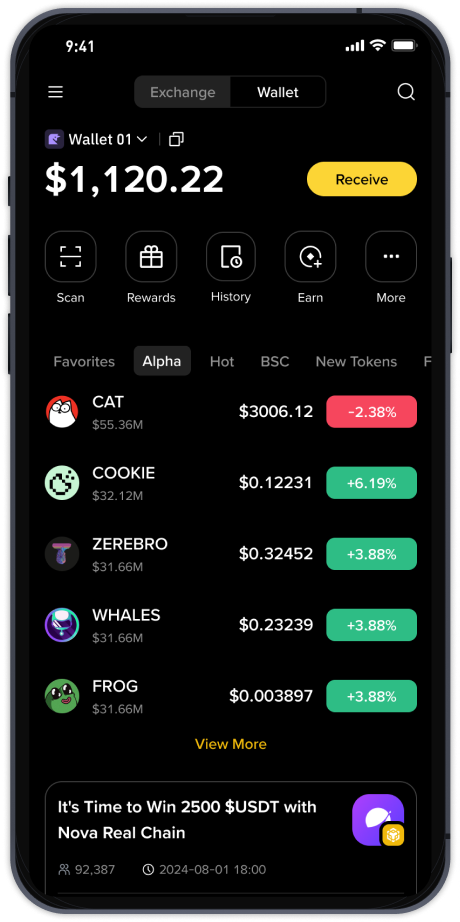
Step-by-Step Guide: How to Use Binance Exchange for Crypto Trading (2024)

Binance, also known as "币安" in Chinese, is the world's largest cryptocurrency exchange by trading volume. Whether you are a beginner or an experienced trader, understanding how to use Binance effectively is essential for navigating the digital asset market. This guide covers the core functions of Binance, including registration, funding, spot trading, and security settings.
1. Account Registration and Verification
To start using Binance, visit the official website (binance.com) or download the mobile app. Click "Register" and enter your email or phone number. You will need to create a strong password. After registration, Binance requires identity verification (KYC) to unlock higher withdrawal limits and full trading features. Upload a clear photo of your government-issued ID and complete the face verification process. This step typically takes a few minutes to a couple of days.
2. Depositing Funds (Fiat or Crypto)
Once your account is verified, you can deposit funds. For fiat currency (like USD or EUR), go to "Buy Crypto" and choose your preferred payment method—bank transfer, credit/debit card, or third-party payment services. For cryptocurrency deposits, navigate to "Wallet" > "Deposit," select the coin (e.g., Bitcoin or USDT), and copy the deposit address. Always double-check the network type (e.g., ERC-20, BEP-20) to avoid losing funds.
3. Spot Trading Basics
Binance's spot trading interface is the most popular feature. Go to "Trade" > "Classic" or "Advanced." You will see a price chart, order book, and your wallet balance. To buy a cryptocurrency, select a trading pair (e.g., BTC/USDT). Choose between "Market" order (buy at current price) or "Limit" order (set your desired price). Enter the amount and click "Buy." Your purchased coins will appear in your spot wallet.
4. Using Binance Earn and Staking
To earn passive income, explore "Binance Earn." You can stake coins like Ethereum or Solana to receive rewards, or use flexible savings for low-risk interest. Simply select the product, choose the amount, and confirm. Funds can be redeemed anytime for flexible products, while locked staking requires a fixed term.
5. Security Best Practices
Security is critical on Binance. Enable Two-Factor Authentication (2FA) via Google Authenticator or SMS. Do not share your API keys or with third-party sites. Use the "Whitelist" feature to restrict withdrawal addresses. Also, avoid clicking on suspicious links claiming to be Binance support—always go directly to the website.
6. Withdrawing Funds
When you want to move crypto out of Binance, go to "Wallet" > "Withdraw." Select the coin, enter the recipient address, and choose the correct network. Double-check the address because transactions are irreversible. For fiat withdrawals, select your bank account and follow the instructions. Withdrawal fees vary by coin and network.
Conclusion
Binance offers a comprehensive suite of tools for crypto trading, from simple buying to advanced margin trading. By following this step-by-step guide, you can safely deposit, trade, and earn on the platform. Always stay updated on Binance's announcements and regulatory changes in your country. With practice, using Binance becomes an intuitive and powerful experience in the world of digital finance.